Smart Energy Data
Answer
We’re excited to offer early access to our Smart Energy Data feature through a beta trial. During this phase, the feature is available to a limited number of users who meet the following requirements:
Eligibility Requirements
To participate in the beta, you’ll need:
- At least one smart electricity meter installed at your property
- An In-Home Display (IHD) connected to your smart meter
- A Hive+ membership
- A single-rate electricity tariff (required to view electricity insights)
We’re actively working to expand access to more users in the future. Thank you for your patience as we continue to improve and roll out this feature more widely.
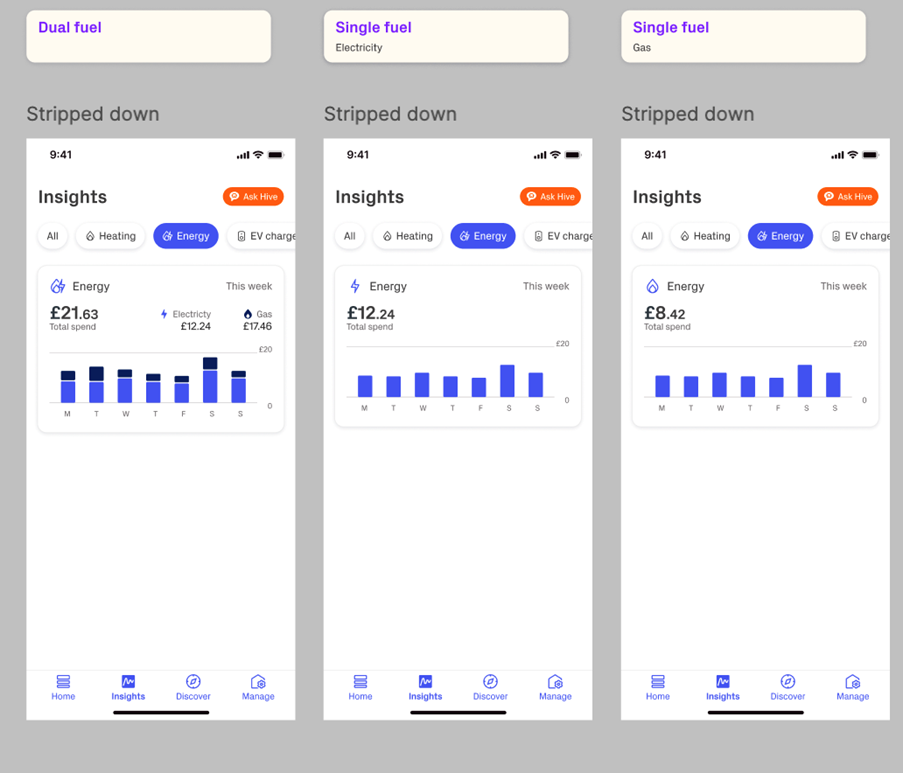
Smart Energy Data is a new feature for Hive+ within Insights that will allow our users to connect their smart meter, view their usage and receive insights.
Common Questions
What if I don’t have an In-Home Display (IHD) or can't find my IHD information?
If your IHD is missing or not working, please contact your energy supplier. They may be able to:
- Provide a replacement device
- Share the MAC address of your IHD, which is needed to connect it to the Hive app

Image: In-Home Display
For help locating your MAC address:
Where to find it:
- Check your gas or electricity bill
- Contact your energy supplier directly
Where can I find my MPAN (Meter Point Administration Number)?
Your MPAN is a unique 21-digit number that identifies your electricity supply point in the UK. You can usually find it on your energy bill.
Need help locating it? See here.
Why doesn’t the cost (£) shown match my energy bill or supplier’s app?
We’re aware that the cost estimates shown in the Hive app may not exactly match your energy bill or your supplier’s app. This is due to differences in how costs are calculated.
A fix is currently in progress – thank you for bearing with us!
How do I leave the beta trial?
If you’d like to opt out of the Smart Meter Insights beta:
- Go to the Smart Meter Settings tab in the Hive app
- Scroll to the bottom and tap Leave Trial
Once you leave, you’ll be returned to the Insights page. You can rejoin the trial later by following the setup journey again.
Got Feedback?
If you'd like to leave feedback on the beta trial, simply complete this form.