

Answer
To receive Smart Energy Data, you’ll need:
- At least one smart electricity meter installed at your property
- An In-Home Display (IHD) connected to your smart meter
- A Hive+ membership
Smart Energy Data is a new feature for Hive+ within Insights that will allow users to connect their smart meter, view their usage and receive insights.
What can I do with Smart Energy Data?
We've introduced several enhancements to Smart Energy to help you better understand your energy usage, manage your costs, and get more value from your energy plan.
Export Energy
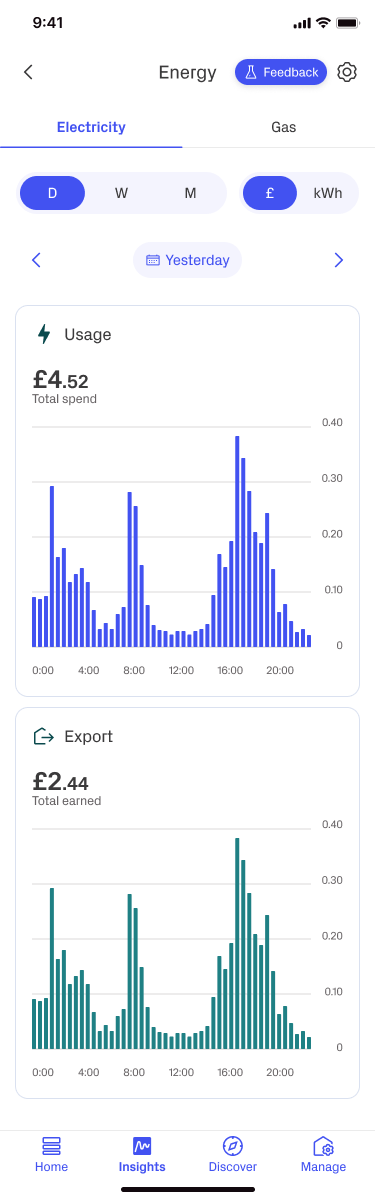
Previously, Smart Energy focused on electricity imported from the grid. Smart Energy now also supports exported electricity for eligible households that generate their own energy, such as through solar panels.
Energy Insights
Energy Insights provide a clearer view of your electricity and gas consumption, making it easier to understand your energy usage over time.
You can:
- Track your energy consumption more easily.
- View your usage across different time periods, including days, weeks and months.
- Gain a better understanding of your household energy habits and trends.
Comparative Energy Insights
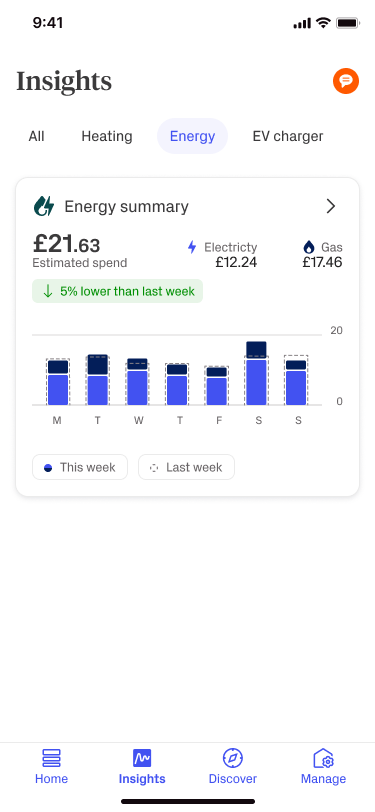
Comparative Energy Insights allow you to compare your current energy usage with previous periods.
This makes it easier to identify changes in consumption and understand how your usage is changing over time.
It can be difficult to know whether changes in your energy usage or bills are significant.
Comparative insights can help answer questions such as:
- Am I using more energy than last week?
- Has my energy usage decreased recently?
- Are my energy-saving efforts making a difference?
Standing Charge Toggle
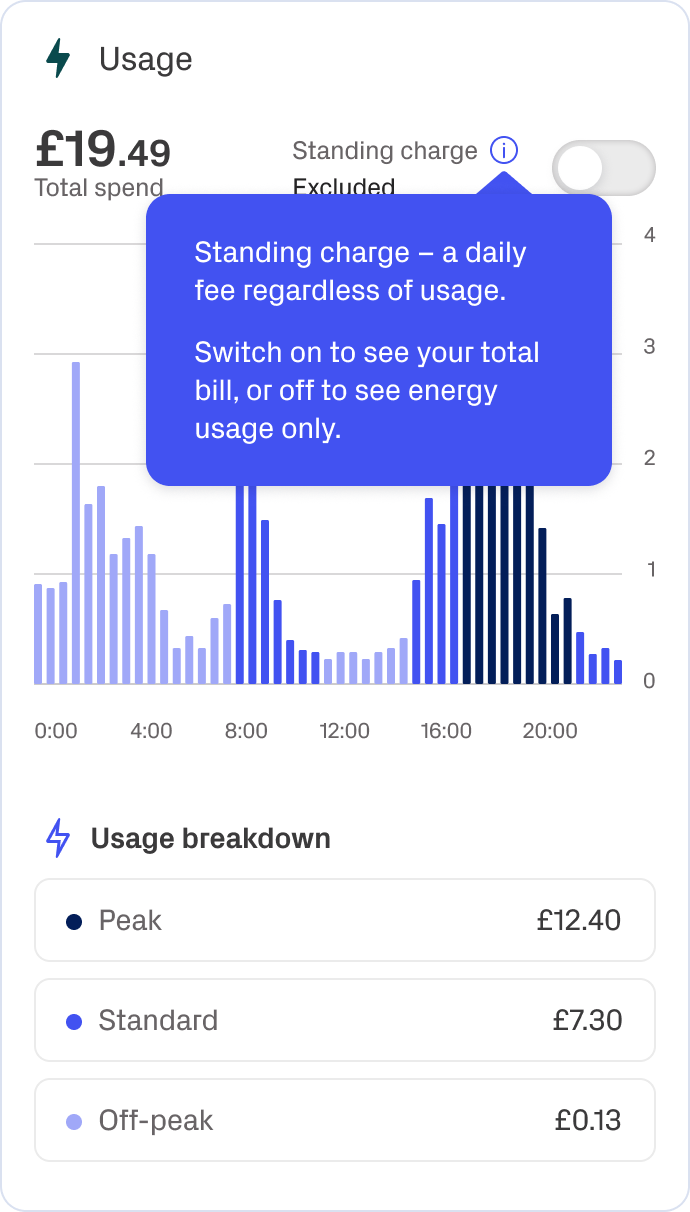
You can now choose whether to include standing charges when viewing energy costs in Smart Energy.
Previously, standing charges could not be switched on or off, which sometimes led to differences between Smart Energy costs and energy supplier bills.
Onboarding
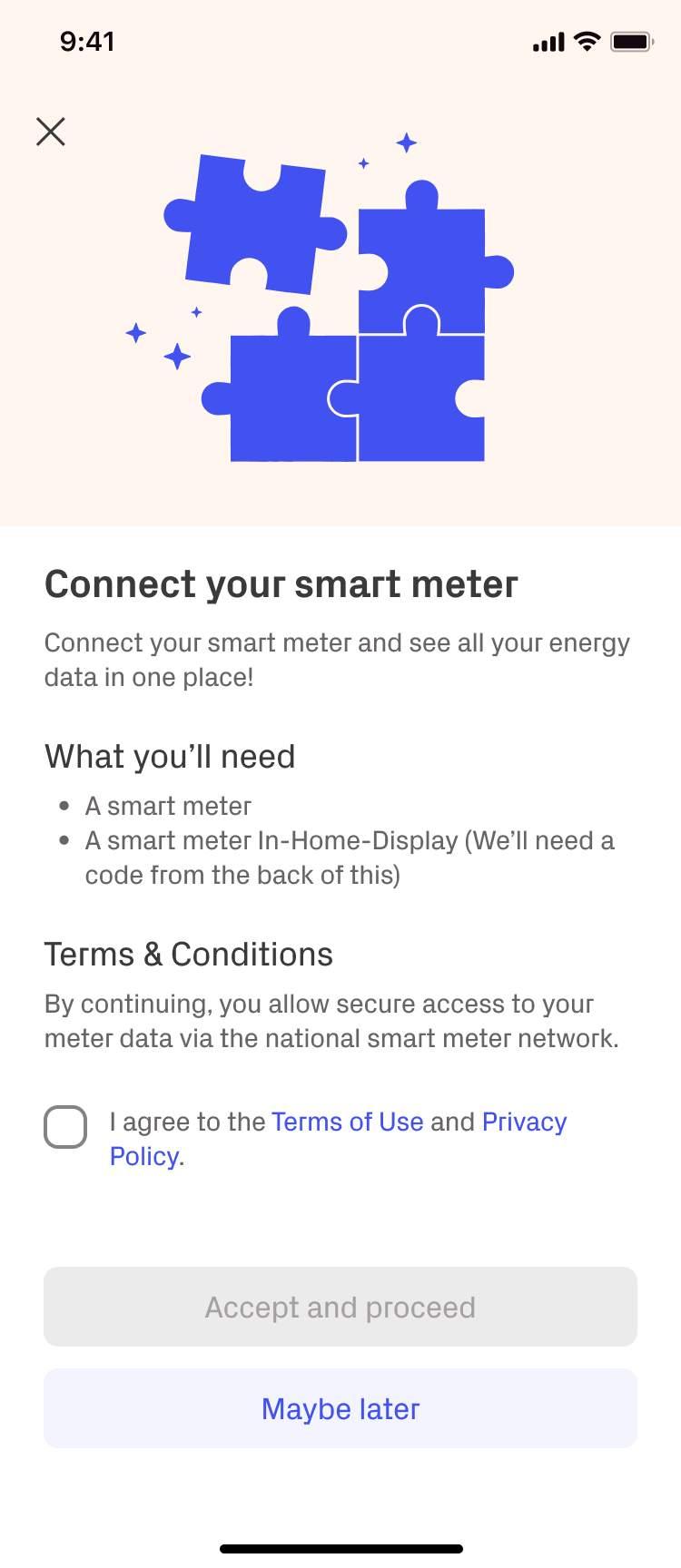
Hive+ users will be prompted to onboard via an Insights card
The onboarding process will then provide further information, including terms & conditions, while asking for consent:
You'll then be asked to enter your Meter Point Administration Number (MPAN) for your electricity meter or Meter Point Reference Number (MPRN) for your gas meter.  TIP: See below for where to find the MPAN and MPRN numbers on a British Gas energy bill.
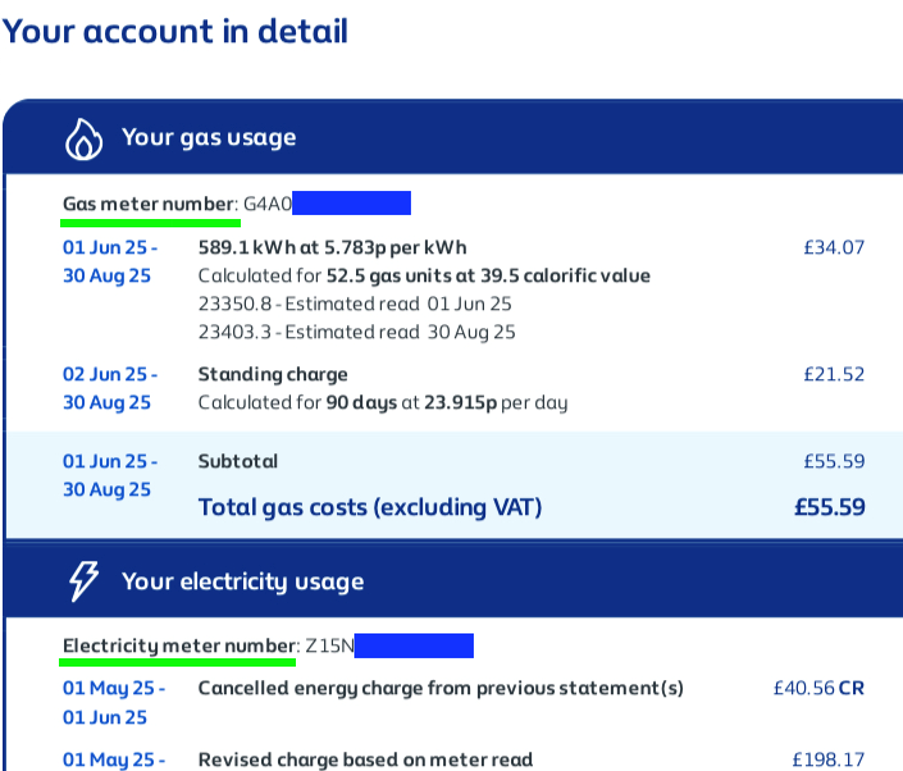
You won’t need to enter both gas and electricity details, even if you have smart meters for both. Once your address is confirmed, we’ll be able to access data for both fuel types automatically.
If a you only have a smart meter for electricity, you won’t be able to view gas usage.
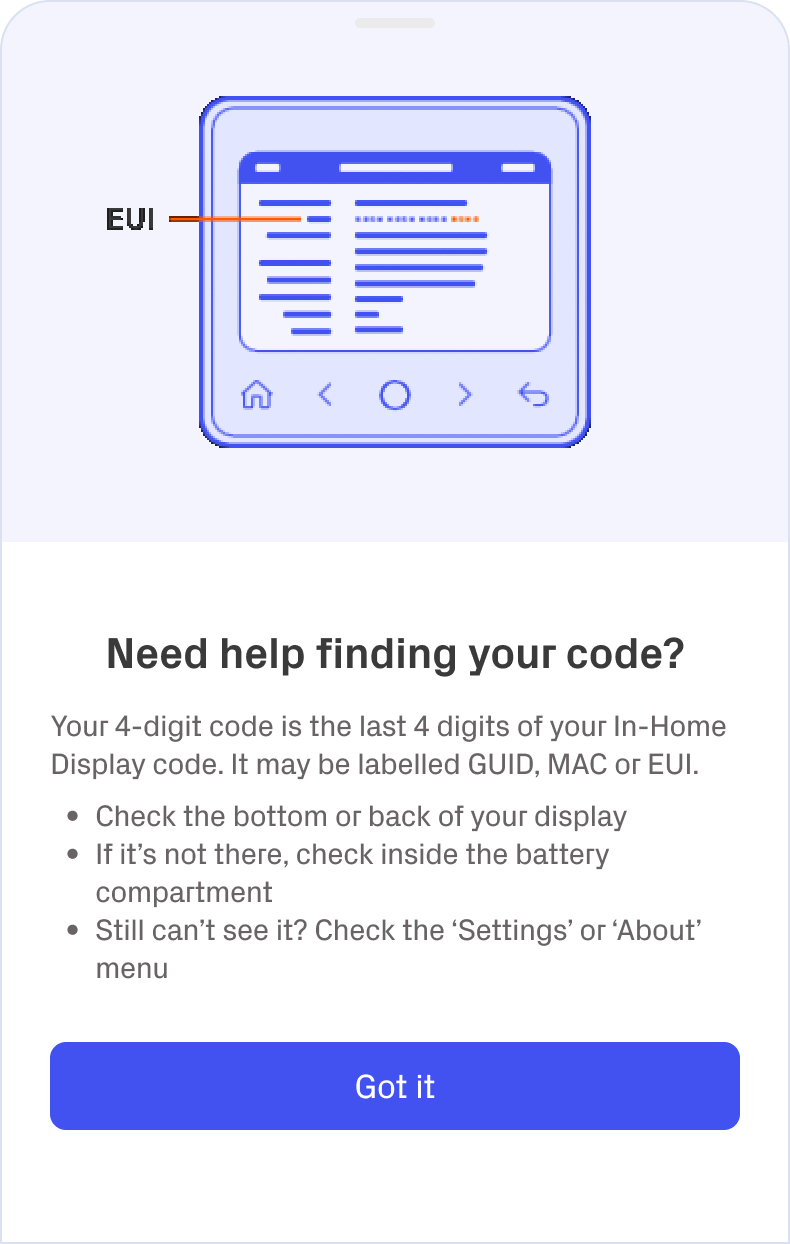
You'll then be asked to enter the last 4 digits of the MAC address from your In-Home Display (IHD).
Once this is verified, you'll be fully onboarded and ready to access Smart Energy Insights. This can take up to 24 hours.
Common Questions
Can I use Smart Energy Data if I have a Time-of-Use (TOU) Tariff?
Yes! Some electricity tariffs charge different rates depending on the time of day. These are known as Time-of-Use (TOU) tariffs.
Smart Energy can help you understand how your electricity usage aligns with these tariff periods, making it easier to see when energy costs are higher or lower.
What if I don’t have an In-Home Display (IHD) or can't find my IHD information?
If your IHD is missing or not working, please contact your energy supplier. They may be able to:
- Provide a replacement device
- Share the MAC address of your IHD, which is needed to connect it to the Hive app

Image: In-Home Display
For help locating your MAC address:
Where to find it:
- The underside of your In-Home Display
Where can I find my MPAN (Meter Point Administration Number)?
Your MPAN is a unique 21-digit number that identifies your electricity supply point in the UK. You can usually find it on your energy bill.
Need help locating it? See here.
How do I remove consent, as I no longer wish to share my energy data with Hive?
If you’d like to opt out of the Smart Meter Insights:
- Go to the Smart Meter Settings tab in the Hive app
- Scroll to the bottom and tap Unlink Smart Meter
Once you leave, you’ll be returned to the Insights page. You can rejoin later by following the setup journey again.